TOPIC 6 · DQ 2 / Probability / discussion question

02Six games of chance. Order matters, or doesn't.

Kentucky Derby bets and lottery tickets. Six randomly-drawn games per student. For each: permutation or combination, total outcomes via =PERMUT or =COMBIN, ways to win, probability, and the odds-against reading sports books use.

Discussion · 5 pts Initial post Fri · replies Sun =PERMUT =COMBIN
1
Step 1 · materials
Download the worksheet

Topic_6_DQ_2.xlsx

XLSX 5 pts v · spring 26
2
Step 2 · walkthrough
Watch the click-by-click

Every keystroke for all six game rows. The Scribe walkthrough lands here once recorded; for now, the Excel template above is your working surface.

SCRIBE.HOW · YOUTUBE
Step-by-step walkthrough
Coming soon. Check back after the Scribe is recorded.
Same walkthrough, two modes. Use whichever helps you today.
ORIENT · the worksheet

What's actually on the sheet.

One main tab (Games), six rows, nine columns. Most of the cells are pre-built; you fill four per row.

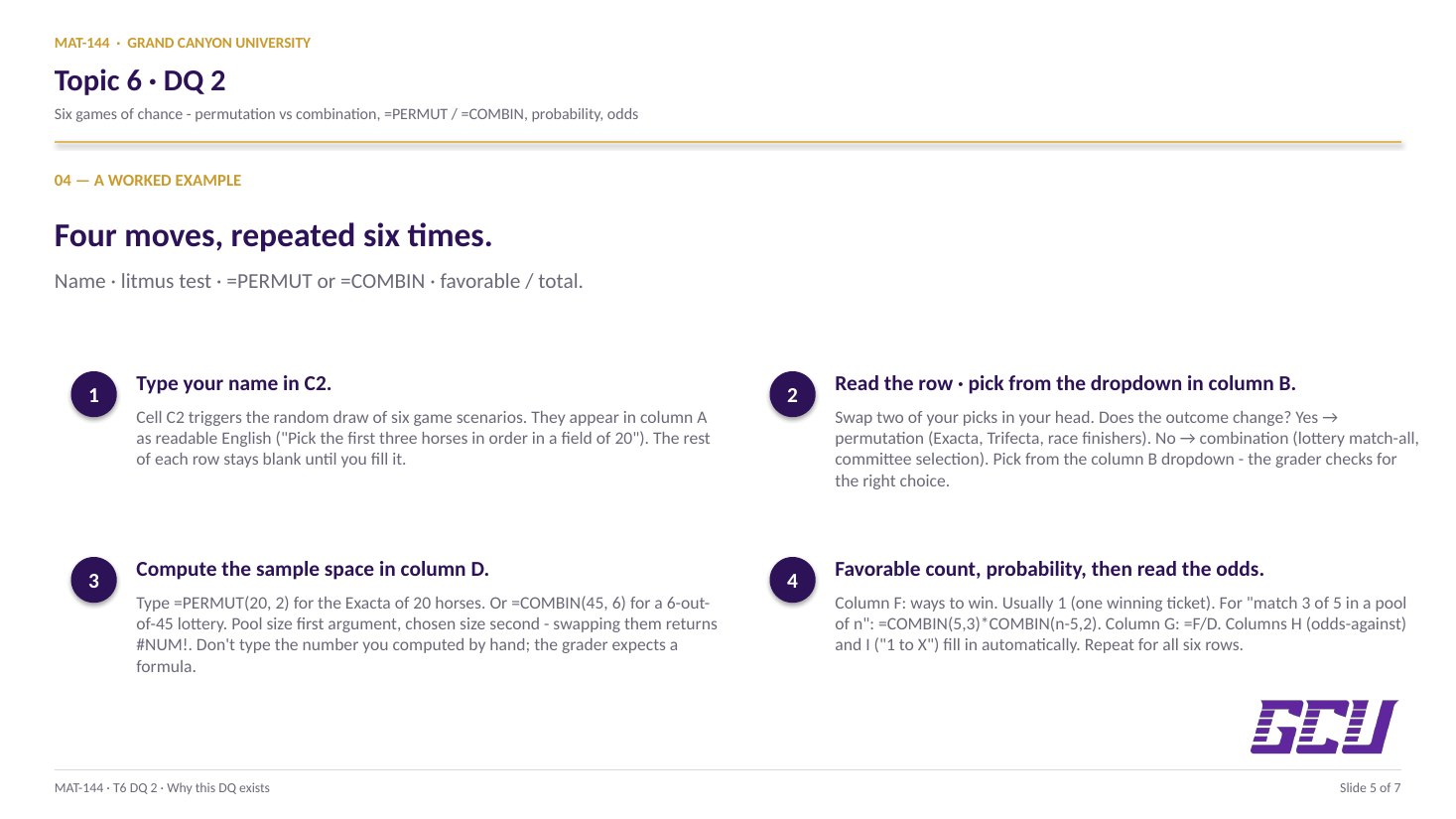
Open the Games tab. Type your name in cell C2 — the six game descriptions appear in column A. For each row: pick permutation or combination from the dropdown in column B; write a short description of the calculation in column C; enter the formula in column D (use =PERMUT(n, r) or =COMBIN(n, r)); describe how to win in column E; enter the ways-to-win count in column F (almost always 1, except for the partial-match lottery); and enter =F/D in column G. The odds-against (H) and the “1 to X” interpretation (I) are computed automatically. New to the cell color codes? See the legend.

§1 · Type your name

The six games appear.

Cell C2 triggers the random draw. Six game descriptions populate column A; the rest of each row sits blank until you fill it.

§2 · Litmus test (column B)

Permutation or combination?

Ask: does swapping two picks change the answer? Yes → permutation (Exacta, Trifecta). No → combination (lottery match-all).

§3 · Sample space (column D)

<code>=PERMUT(n, r)</code> or <code>=COMBIN(n, r)</code>.

Excel's built-ins compute the count directly. Pool size first, chosen size second.

§4 · Ways to win (column F)

Usually 1, sometimes a formula.

One winning ticket for the match-all games. For the partial-match lottery: =COMBIN(5,3)*COMBIN(n−5,2).

§5 · Probability + odds

F/D, then read the odds.

Column G: =F/D. Column H computes odds against = (1−G)/G automatically. Column I renders “1 to X” in plain English.

CONCEPTS · six things to know

The why behind every cell.

Five panels: how the six games are generated, the permutation-vs-combination litmus test, Excel's =PERMUT and =COMBIN built-ins, the favorable-over-total probability step, and the odds-against translation that closes every row.

01
Six scenarios

Name-keyed games of chance.

The Games tab lists six rows, one per game. The scenario in column A is generated from a larger pool of templates and randomized by your name, so two classmates rarely see the same six games. The Kentucky Derby templates typically supply the first three or four games (Exacta = pick the top two in order; Trifecta = top three in order; Superfecta = top four in order), and the lottery templates supply the rest (jackpot = match all in order; match-some = partial-match prize).

Until you type your name in C2, the scenarios sit blank. Type it once and the six games appear; type it again to refresh the random draw if you want a different set of practice games.

02
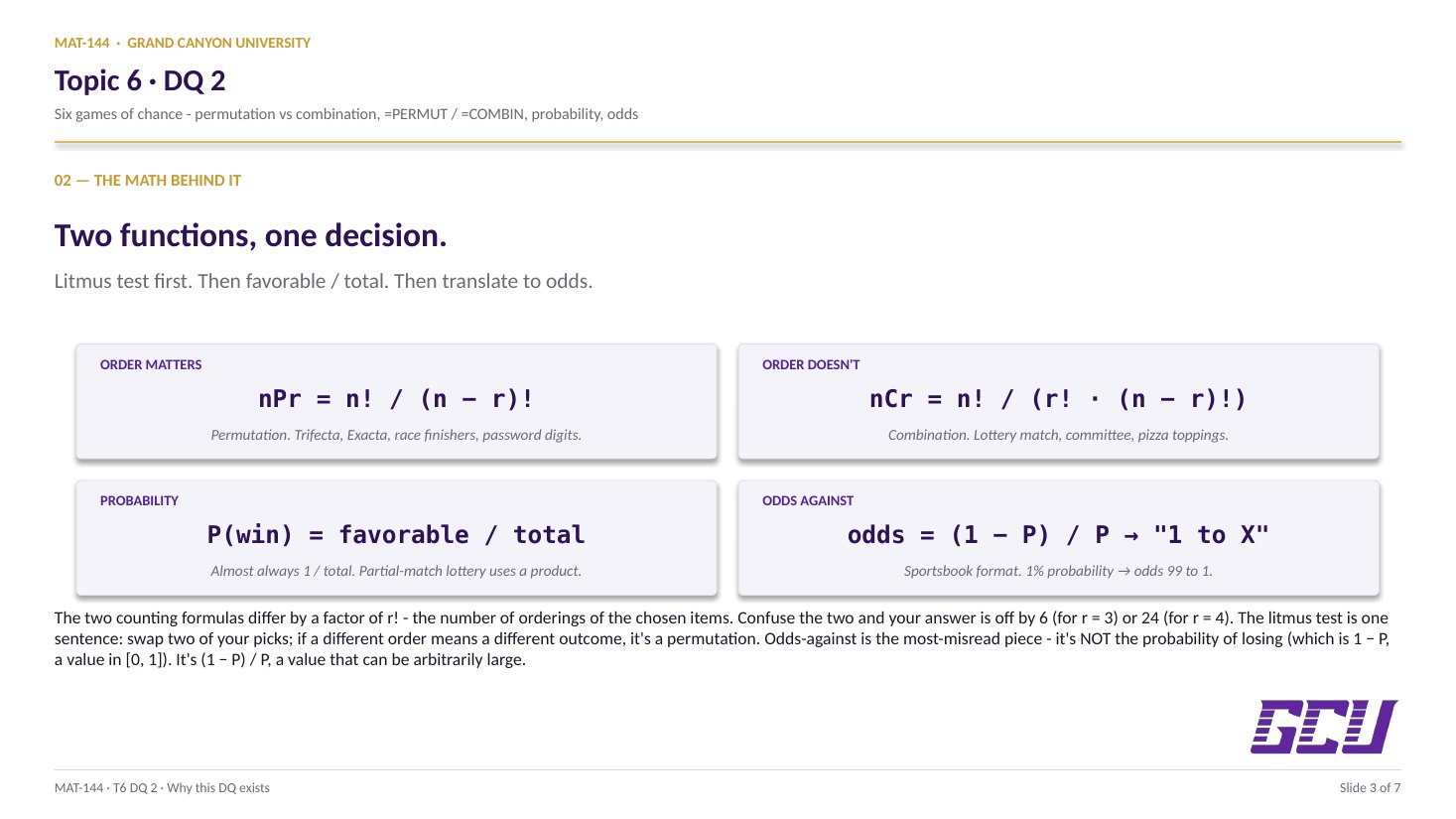
PICK THE RIGHT FUNCTION does swapping two picks give a different answer? YES → PERMUTATION =PERMUT(n, r) Exacta · Trifecta · Superfecta ordered finish, jackpot in order NO → COMBINATION =COMBIN(n, r) Lottery · committee · hand of cards match all numbers, no order always ask the litmus test before reaching for a formula
Litmus test

Order matters? Permutation. No? Combination.

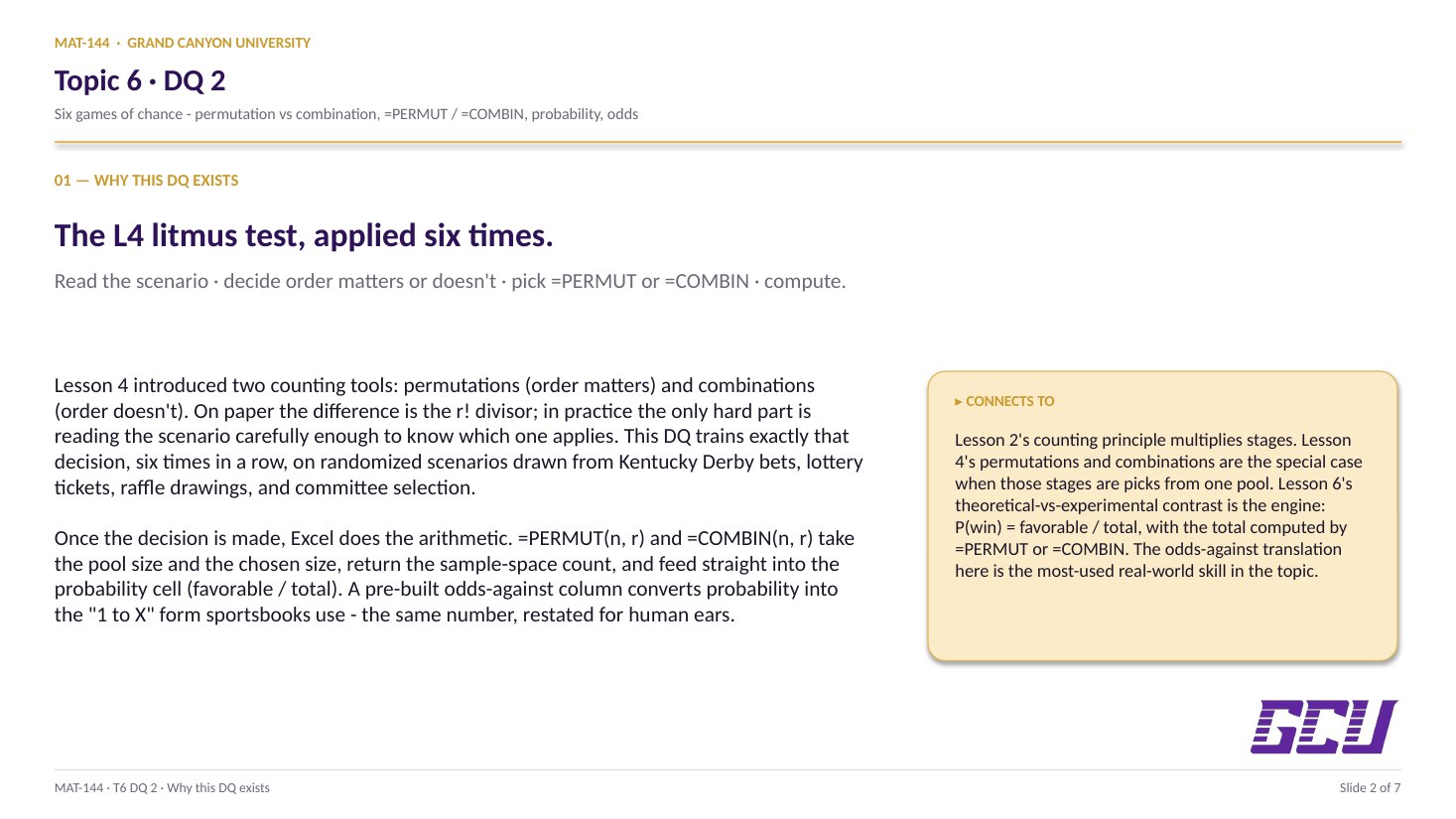
Column B is the permutation vs combination decision, which you select from a dropdown. The litmus test from Lesson 4 is the only tool you need: does swapping two of your picks give a different answer?

Exacta, Trifecta, Superfecta — horse-racing bets where you must name the finishers in order — are permutations. Picking Secretariat-then-Citation is a different bet than Citation-then-Secretariat. Order matters.

A standard pick-five lottery — choose five of fifty numbered balls, no order required — is a combination. {3, 7, 12, 25, 41} is the same winning ticket as {41, 25, 12, 7, 3}. Order does not matter.

Read the scenario carefully. The phrase “in the order in which they were drawn” or “in the first two spots” signals ordering matters; “match all N numbers” without an ordering qualifier signals it does not.

03
Excel built-ins

=PERMUT(n, r) and =COMBIN(n, r).

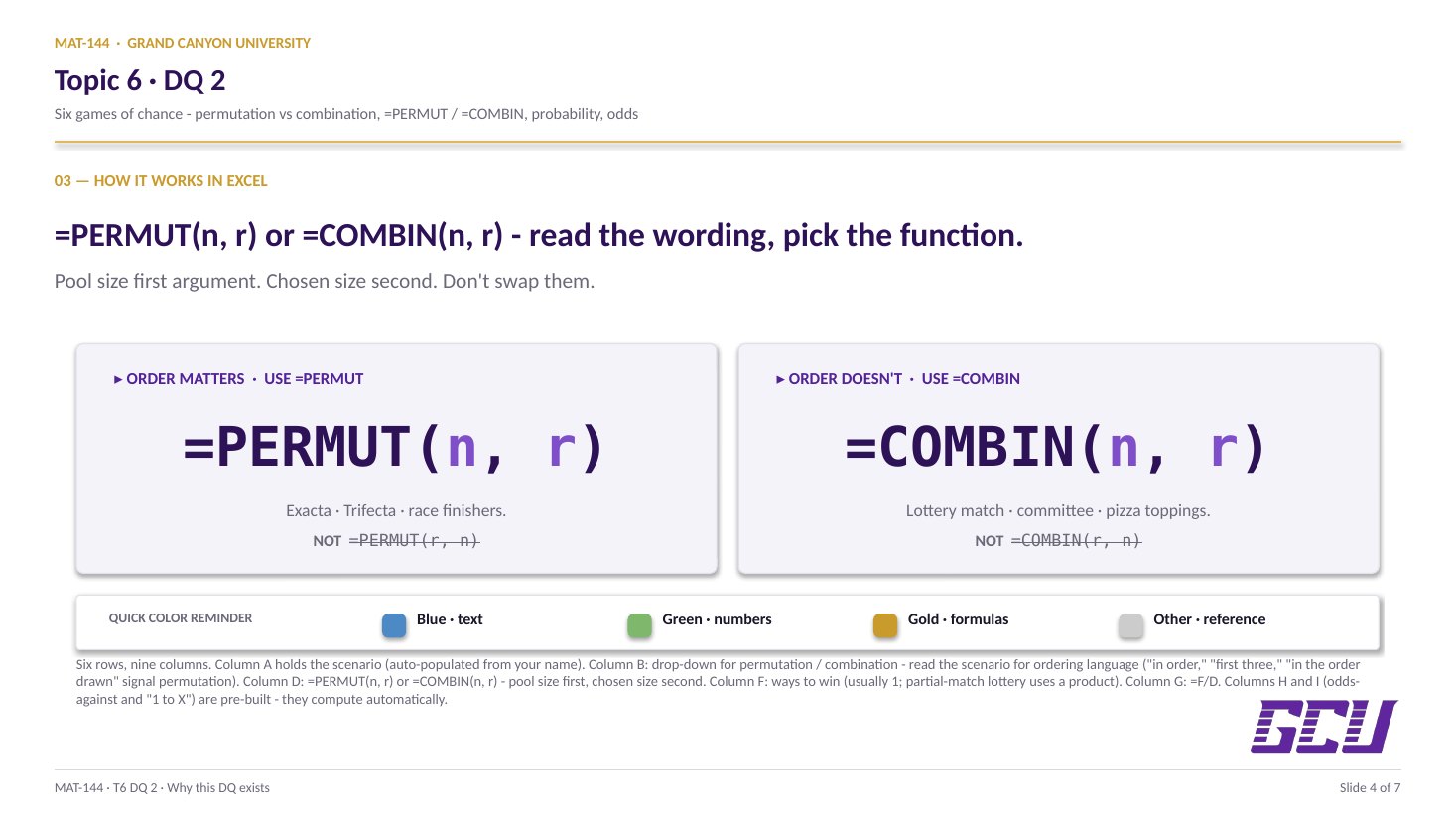
Once you have decided permutation or combination, Excel has built-in functions that handle the arithmetic without you computing factorials by hand: =PERMUT(n, r) returns the number of ordered arrangements of r items from n, and =COMBIN(n, r) returns the number of unordered selections. Both take the same two arguments in the same order: total pool first, chosen size second.

For the Exacta (pick top 2 of n horses, in order), the formula in column D is =PERMUT(n, 2). For a 5-of-50 lottery, it is =COMBIN(50, 5). The cell references in the actual template (Random!H19, Random!H20, etc.) hold the randomized pool sizes for your specific draw.

The result is the sample-space size for the game — the denominator of the probability ratio in column G.

column D = =PERMUT(n, r) or =COMBIN(n, r)
column F = ways to win (usually 1)
column G = F / D (probability)
column H = (1 − G) / G (odds against)
Four columns, four formulas. Column H is pre-built; you only fill D, F, and G.
04
Probability

F / D, favorable over total.

The probability of winning in column G is the favorable-over-total ratio from Lesson 1, computed across the sample space you just sized. For most of the games, the favorable count in column F is simply 1: there is exactly one winning ticket (the right exacta finish, the right superfecta finish, the exact lottery draw).

The exception is the partial-match lottery scenario, in which a prize is paid for matching some of the drawn numbers, not all. In that case the favorable count is a small calculation in its own right. To match exactly 3 of 5 numbers in a pool of n, you must choose 3 of your 5 winning picks (that is =COMBIN(5, 3)) and 2 of the n − 5 losing picks (that is =COMBIN(n − 5, 2)), and multiply: =COMBIN(5, 3) * COMBIN(n − 5, 2). This is a combination-of-combinations move; the sample-space count in column D is unchanged.

The probability formula in column G is just =F/D for every game.

05
Odds against

(1 − P) / P, read as "1 to X."

Sports betting and lottery advertising rarely report a probability directly. They report odds against winning, the ratio of unfavorable outcomes to favorable ones. Mathematically:

odds against = (1 − P) / P

The template computes this in column H from your probability in column G, then in column I converts it to the “1 to X” reading-style format that sportsbooks use. So a probability of 1/2,500 (a typical superfecta) becomes 2,499 to 1 against — written as “your odds of winning are 1 to 2,499.”

The smaller the probability, the bigger the odds-against number. A 50/50 coin is “1 to 1.” A 1-in-1,000 ticket is roughly “1 to 999.” Lottery jackpots routinely have odds against of millions to one, which is why people who buy tickets are buying entertainment, not investment exposure.

PROBABILITY → ODDS AGAINST (1 − P) / P, read as "1 to X" P odds against reading 0.5 1 to 1 a coin flip 0.10 1 to 9 long shot 0.01 1 to 99 small chance 0.0004 1 to 2,499 superfecta 1 / 13M ≈ 1 to 13,000,000 lottery jackpot
Common slips

Five mistakes this DQ punishes.

Wrong function (PERMUT vs COMBIN) and the partial-match ways-to-win formula are the most common. Read these before you submit.

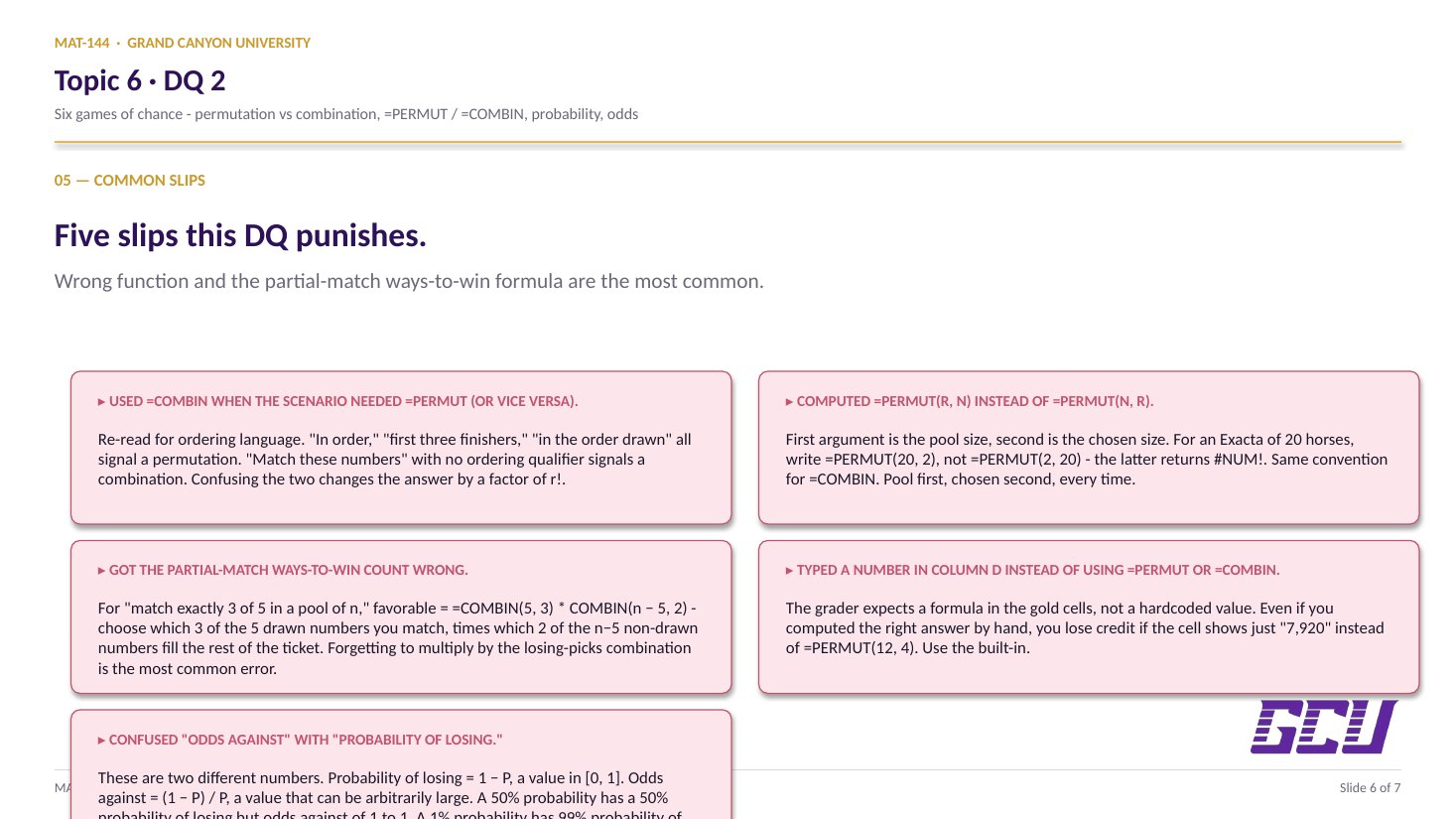
  1. 01
    Used =COMBIN when the scenario needed =PERMUT (or vice versa).

    Re-read the scenario's wording for ordering language. “In order,” “first three finishers,” “in the order in which they were drawn” all signal a permutation. “Match these numbers” without an ordering qualifier signals a combination. Confusing the two changes the answer by a factor of r!.

  2. 02
    Computed =PERMUT(r, n) instead of =PERMUT(n, r).

    The first argument is the pool size (total items available), the second is the chosen size (how many you pick). For the Exacta of 20 horses, write =PERMUT(20, 2), not =PERMUT(2, 20). The latter will give a #NUM! error.

  3. 03
    Got the partial-match ways-to-win count wrong.

    For “match exactly 3 of 5 in a pool of n,” the favorable count is =COMBIN(5, 3) * COMBIN(n − 5, 2) — choose which 3 of the 5 drawn numbers you match, times which 2 of the n−5 non-drawn numbers fill the rest of your ticket. Forgetting to multiply by the “losing picks” combination is the most common error.

  4. 04
    Typed a number in column D instead of using =PERMUT or =COMBIN.

    The grader expects a formula in the gold-shaded cells, not a hardcoded value. Even if you computed the right answer by hand, you'll lose credit if the cell shows just “7,920” instead of =PERMUT(12, 4). Use the built-in.

  5. 05
    Confused “odds against” with “probability of losing.”

    These are two different numbers. Probability of losing = 1 − P, a value in [0, 1]. Odds against = (1 − P) / P, a value that can be arbitrarily large. A 50% probability has a 50% probability of losing but odds against of 1 to 1; a 1% probability has a 99% probability of losing but odds against of 99 to 1. Column H computes the second formula.

Application & connection

From this DQ into the topic finale and Final Exam Review.

This DQ closes the topic. Lessons 1 through 6 walked through every move in the topic in isolation. DQ 1 nailed the convergence side of Lesson 6 with a simulation. DQ 2 ties the rest together: L4's permutation-vs- combination litmus test drives the choice of function, L1's favorable-over-total ratio gives the probability once the counts are in, and a new quantity — the odds against winning — puts the probability into the "1 to X" form you see in sports betting, lottery advertising, and casino payout tables.

The conversion from probability to odds matters because the two numbers are read very differently. A probability of 0.5% sounds vanishingly small but isn't memorable; the same value as 1 to 199 odds against communicates the longshot nature more concretely. Both numbers describe the same likelihood; the format choice changes how the listener feels about it.

This is the last DQ of the course content; the Final Exam Review in Topic 7 pulls Topics 1 through 6 together, and the Final Exam itself is cumulative across all six.