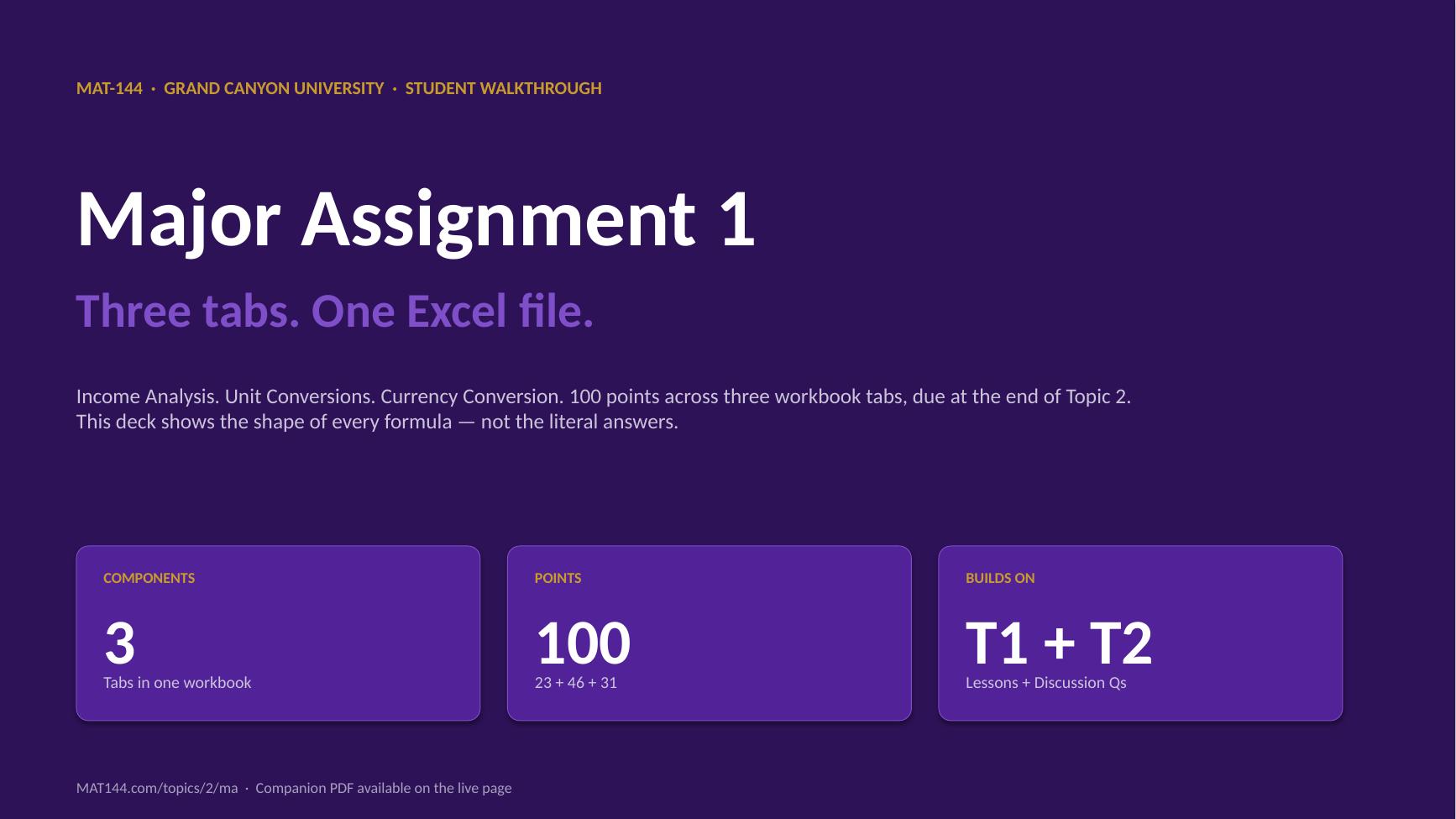
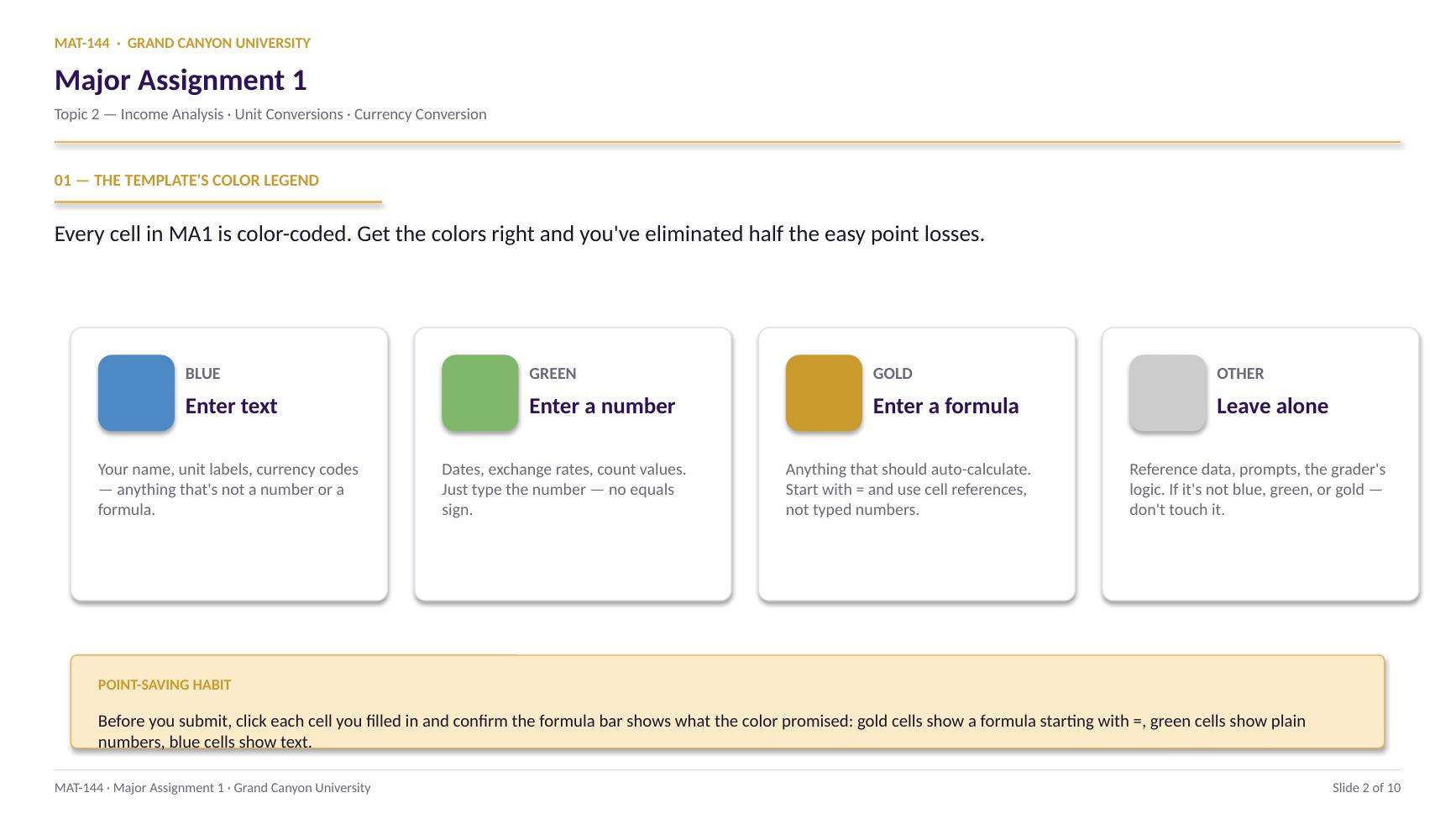
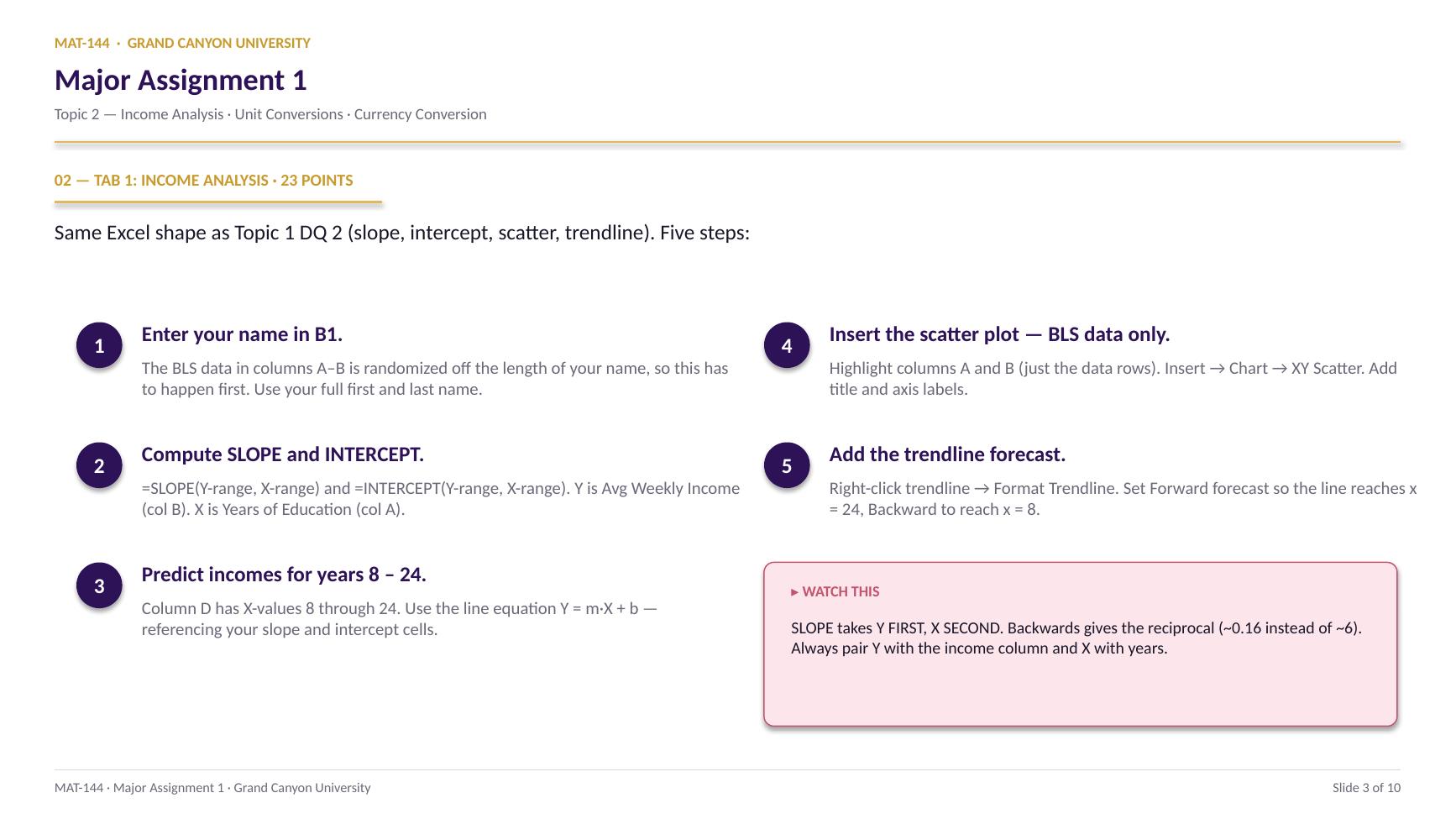
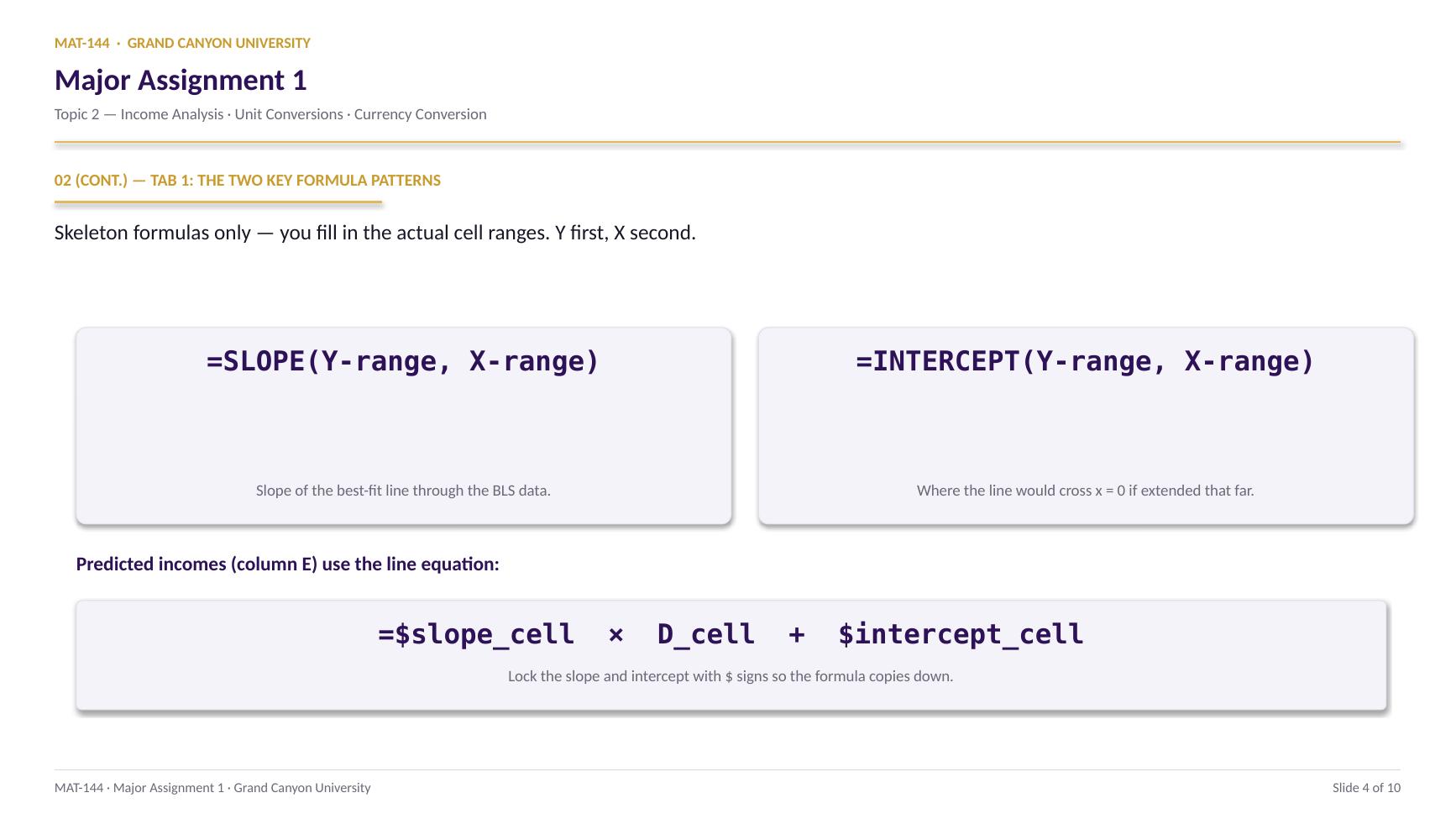
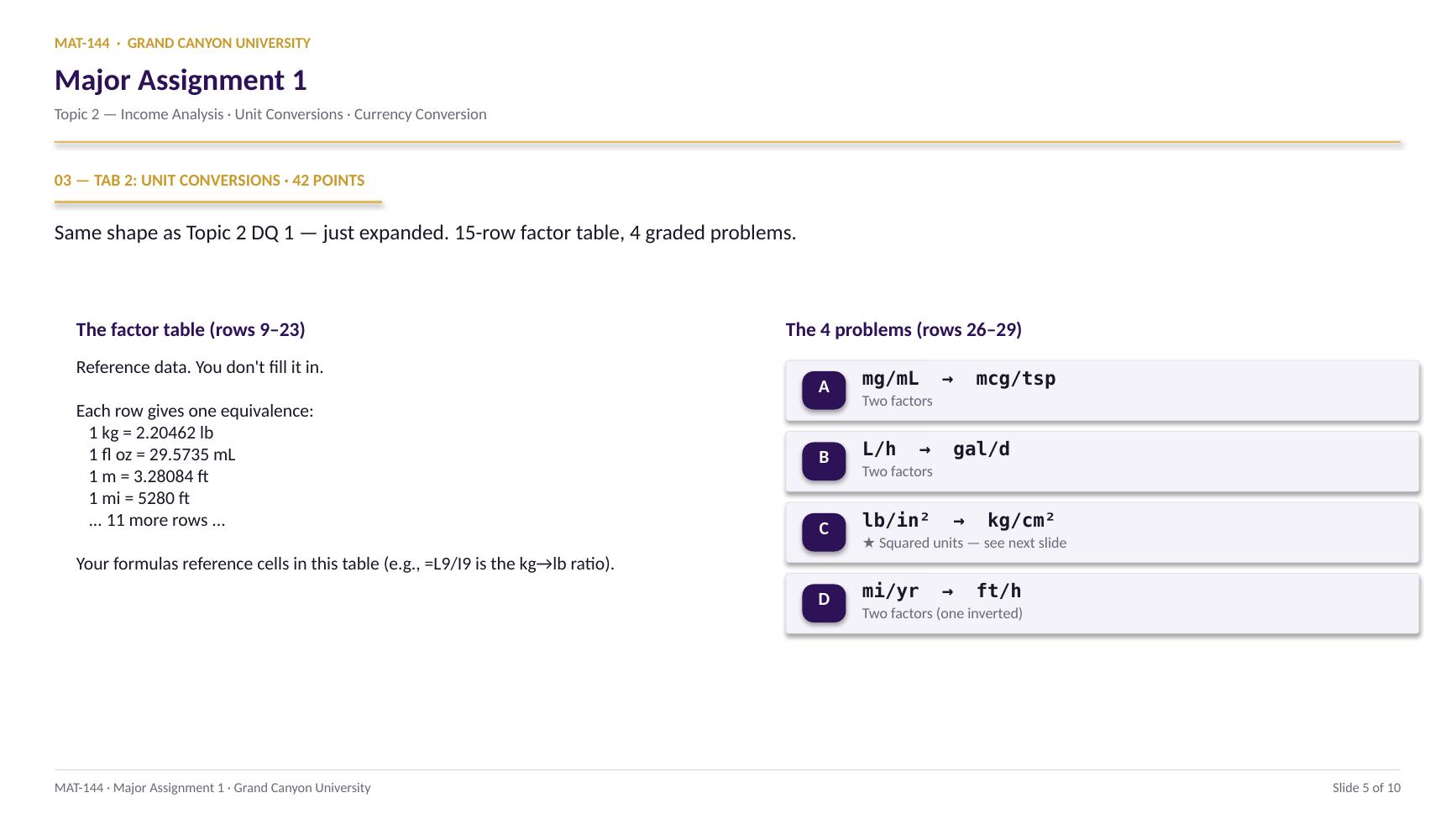
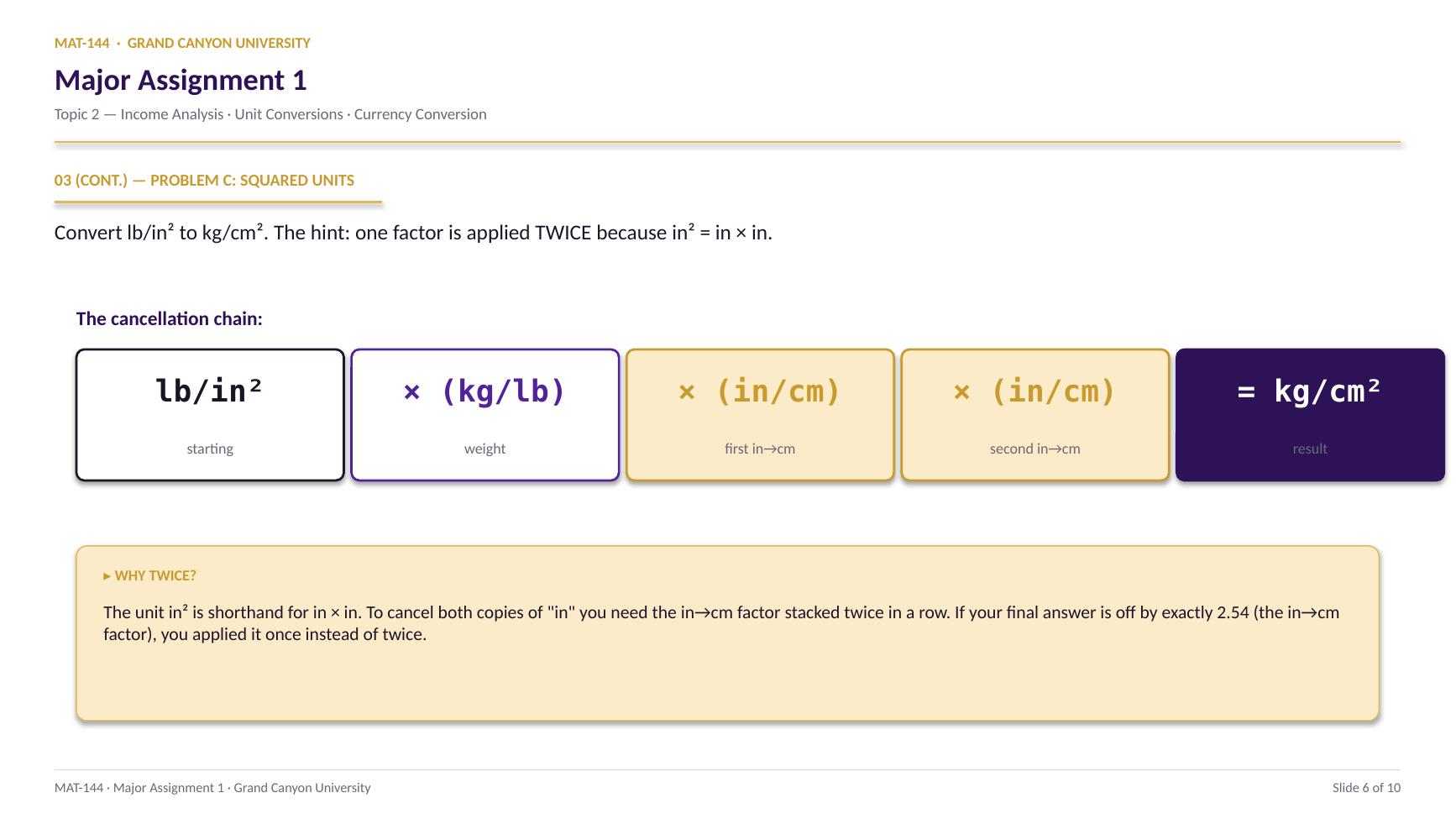
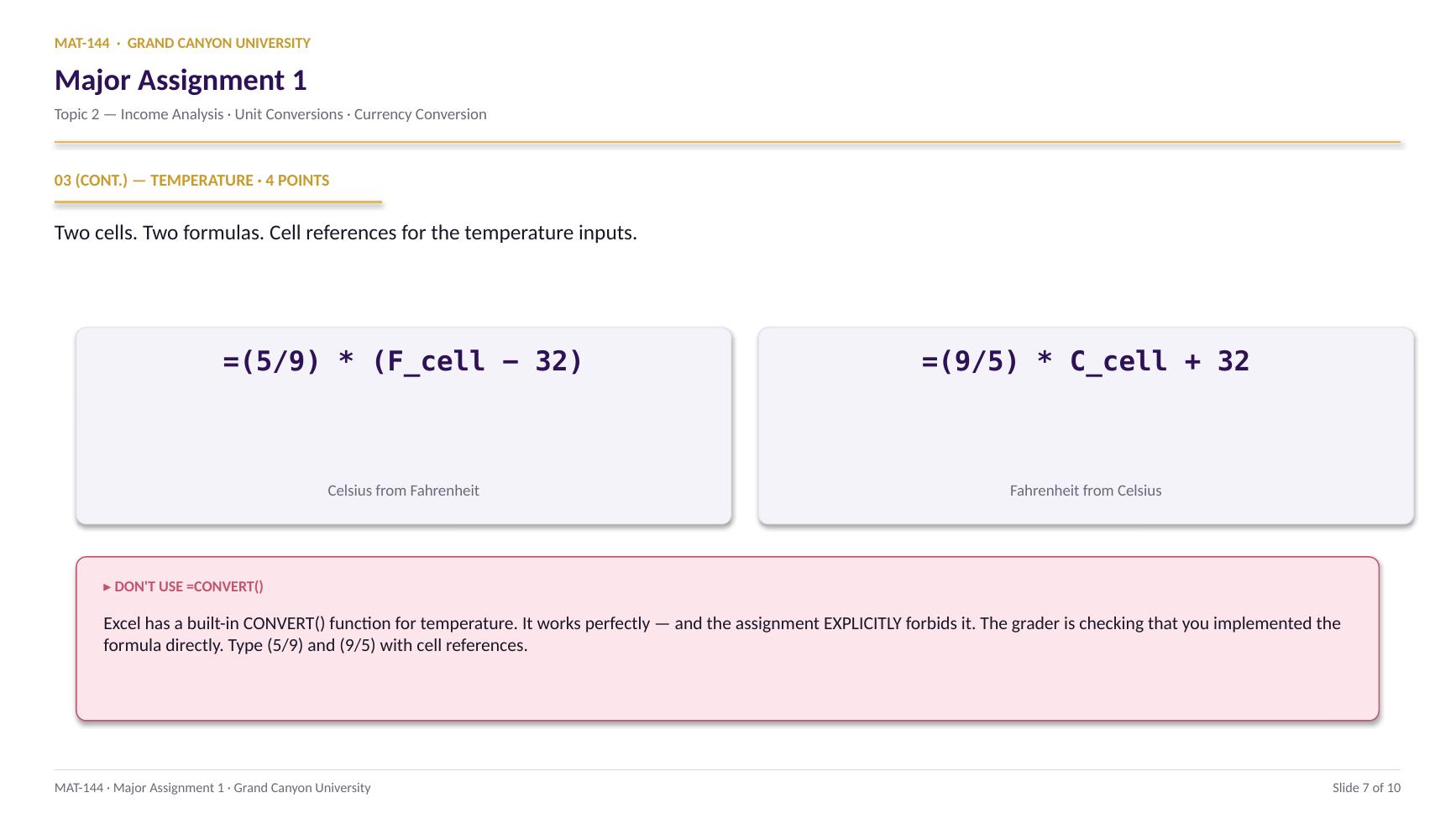
TOPIC 2 · MAJOR ASSIGNMENT 1 · COMPONENT 03/ Conversions & Budgeting / major assignment / currency conversion
03Pick four countries. Convert both directions.
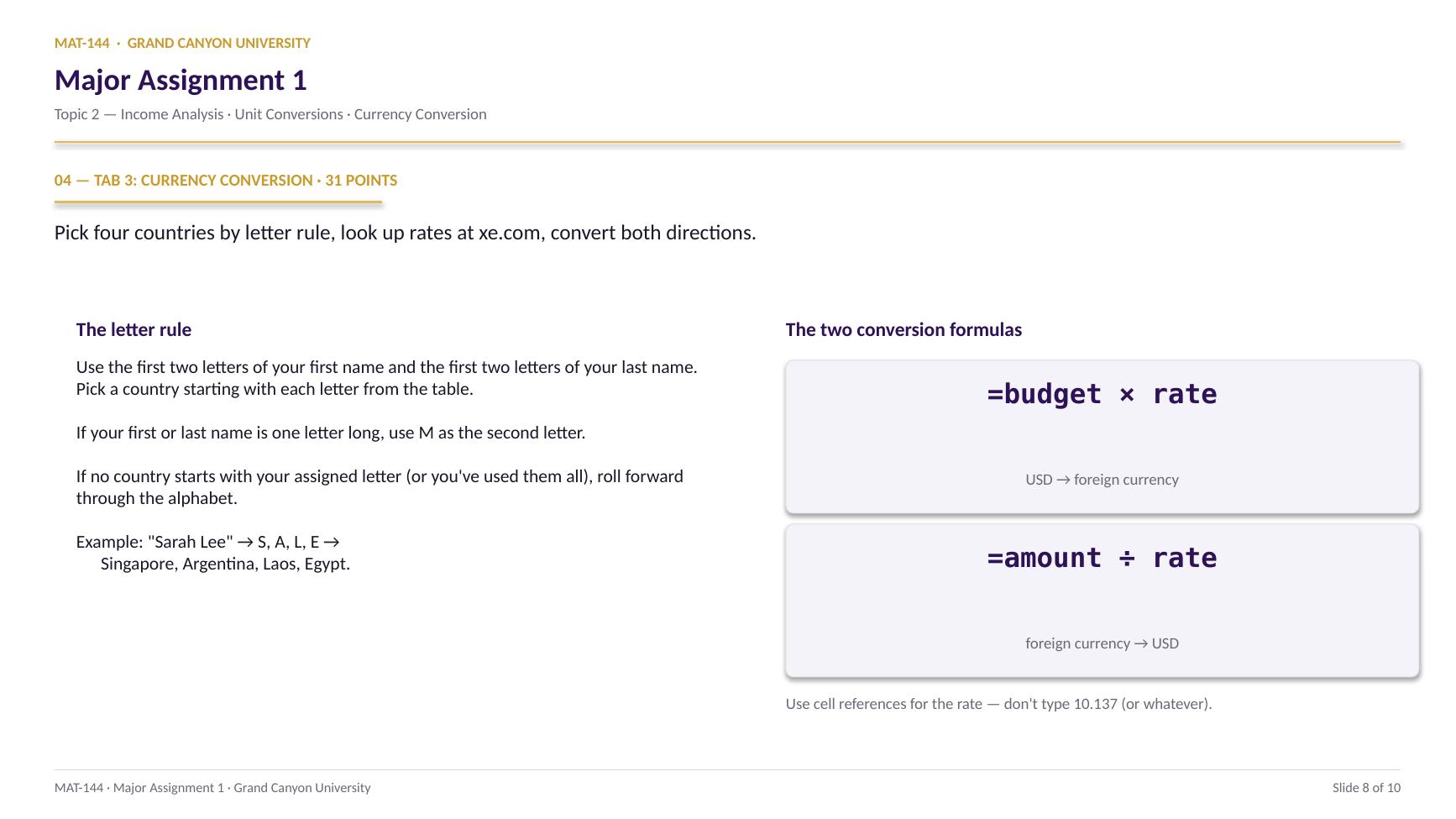
The letters in your name pick the countries. xe.com gives you the exchange rates. Two formulas turn each rate into a USD↔foreign-currency conversion the rubric can read.
Major Assignment · 31 pts
Live data from xe.com
×rate · ÷rate
A 7-page MA1 Walkthrough PDF covers all three tabs in the same hint depth as this page. Useful if you'd rather print, annotate on paper, or keep it open on a second screen while working in Excel.
Walkthrough video coming in a future recording. Until then, work from the slideshow above and the printable PDF.
SCRIBE.HOW · YOUTUBE
≡
Step-by-step walkthrough
Coming soon. Check back after the Scribe is recorded.
▸
Video walkthrough
Coming soon. Same material, different medium, recorded over the holiday break.
Same walkthrough, two modes.Use whichever helps you today.
ORIENT
· the tab
One trip budget, four countries, two formulas each.
Trip budget given in USD up top. Four-column table below, one column per country.
The trip budget cell at the top is randomized off your name (in USD). Below it, a four-column table where each column corresponds to one of your four chosen countries. For each country you fill in: the date you looked up the rate, the currency code, the exchange rate, the trip budget INTO that currency, and a foreign-currency amount converted BACK to USD.
Letters
First two of first name, first two of last.
Use those four letters to pick four countries. If a name is one letter long, use M as the default second letter. If no country starts with your letter, roll forward.
Rates
xe.com/currencyconverter, within 2 weeks.
Look up each rate for $1 USD into that currency. Three significant digits minimum. Record the lookup date in the blue cell — rubric requires it within 2 weeks of the due date.
Formulas
Multiply to go out, divide to come back.
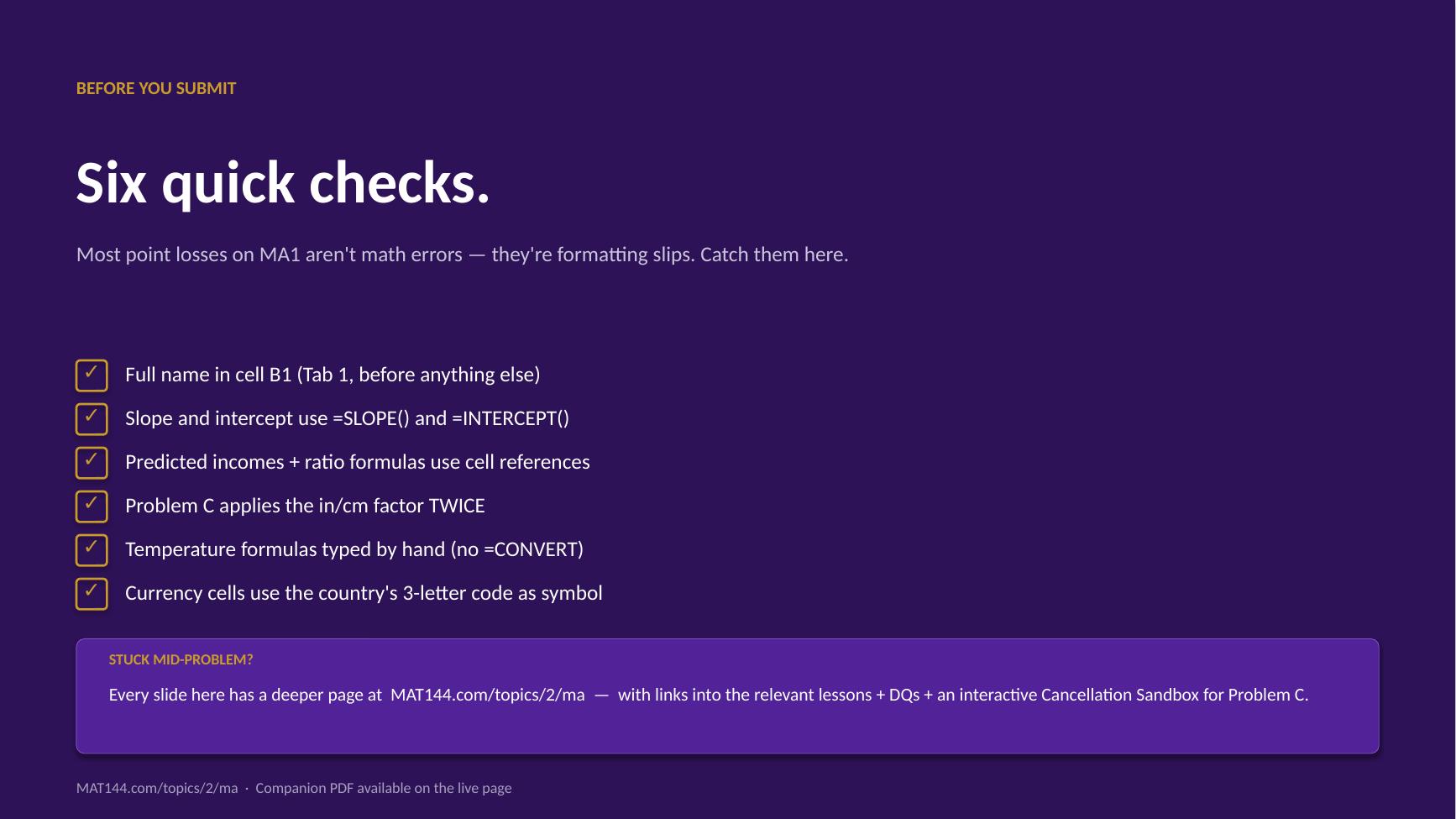
USD → foreign currency multiplies by the rate. Foreign currency → USD divides by the same rate. Use cell references, not typed numbers.
CONCEPTS · six things to know
The four moves of each country column.
Pick the country, look up the rate, multiply out, divide back. Format with the country's 3-letter currency code.
01
Letters
Your name picks the countries.
First letter of your first name. Second letter of your first name. First letter of your last name. Second letter of your last name. Four letters → four countries.
If your first or last name is only one letter, use M as the default second letter. If no country starts with your assigned letter (or you've used all of them), roll forward through the alphabet to the next available letter. At Z, wrap to A.
Example: “Sarah Lee” → S, A, L, E → Singapore, Argentina, Laos, Egypt.
A
B
C
7
label
a
b
8
12
7
9
sum
=B8+C8
19
change B8→ C9 follows
02
Lookup
xe.com/currencyconverter for each rate.
For each country, find the three-letter currency code (e.g., JPY, EUR, MXN, TJS) and the current exchange rate from $1 USD into that currency. Three significant digits is the minimum; more is fine.
Record the date you looked the rate up — format as Date. The rubric requires the date to be within 2 weeks of the assignment's due date. Rates change daily.
=SUM(E21:E28)
=Switch on
SUMFunction name
( )Argument hold
E21:E28Range arg
03
Out
USD → foreign: multiply by the rate.
The formula is =trip_budget_cell × rate_cell. Trip budget cell is at the top of the tab; rate cell is the one you just filled in. Use cell references — don't type the rate into the formula.
Format the result as Currency with the country's three-letter code as the symbol: right-click → Format Cells → Currency → Symbol dropdown. Two decimal places.
=$B$4 × (rate cell)
$1,000 USD × 10.137 TJS/USD = 10,137 TJS
Anchor the trip budget with $ signs so it doesn’t shift.
04
Back
Foreign → USD: divide by the rate.
The formula is =foreign_amount_cell ÷ rate_cell. The foreign amount is given in the prompt (randomized off your name). You divide by the exchange rate because the rate is “foreign units per USD,” and you want to undo it.
Format as Currency with the $ symbol and 2 decimal places.
=$D$4 ÷ (rate cell)
980 TJS ÷ 10.137 TJS/USD = $96.68
If your answer is way bigger than the trip budget, you multiplied.
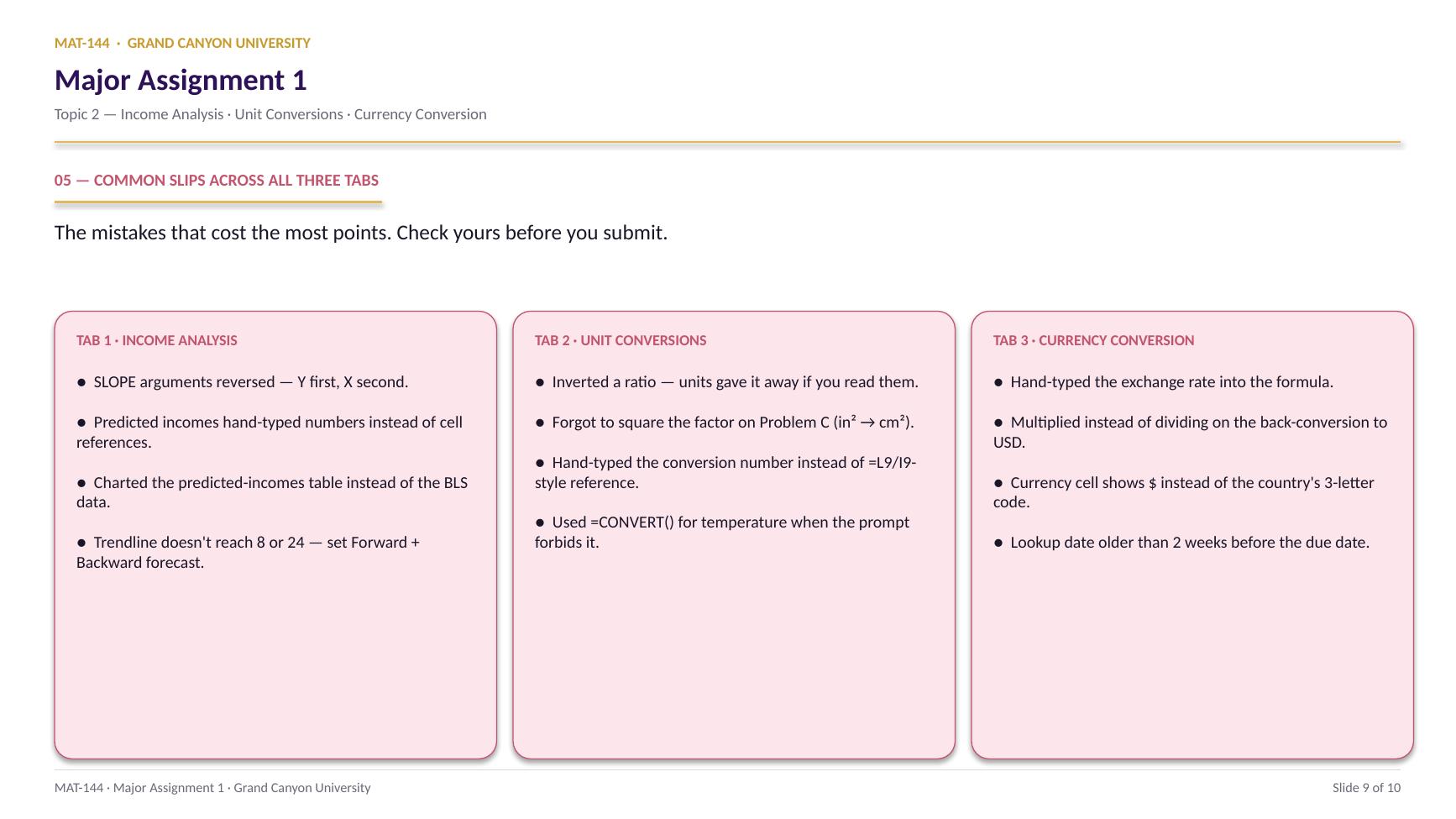
Common slips
Five mistakes that cost the most points.
Currency-conversion problems trip students up the same way year after year. These are the patterns.
01
Hand-typed the exchange rate into the formula.
Same issue as the unit conversions: the math works once, but the grader is checking for cell references. Click the rate cell instead of typing 10.137 (or whatever). When the rate updates next week, your formula updates with it.
02
Direction swapped on the back-conversion.
If your “back to USD” number is way bigger than the trip budget, you multiplied by the rate instead of dividing. USD → foreign multiplies by the rate; foreign → USD divides by it. The rate is “foreign units per USD,” so divide to undo it.
03
Currency cell shows $ instead of the country's symbol.
Right-click the cell → Format Cells → Currency → Symbol dropdown. Pick the three-letter code (e.g., JPY, EUR, TJS). Two decimal places.
04
Date older than 2 weeks.
Rates move daily. The rubric explicitly requires your lookup date within 2 weeks of the due date. If you started this last month, re-look up the rate and update the date cell when you submit.
05
Letter rule slipped.
If your first or last name is only one letter long, use M as the default second letter. If no country starts with your assigned letter (or you've already used all of them), roll forward through the alphabet. At Z, wrap to A.
Application & connection
Same math as L5, with real exchange rates.
This is Lesson 5's currency-as-a-conversion-factor section, applied to real exchange rates instead of the textbook USD/EUR/GBP chain. The math doesn't change. What changes is that the rates are real, and the answer changes if you do the assignment a week later. That's why ALEKS asks for the lookup date.
If the dimensional analysis feels distant, the Topic 2 DQ 1 warm-up covered the same unit-cancellation move you're applying here, just with non-monetary units (kg, m, mL, etc.).